

Delete Account
With the Zefaaf platform you are safe
Introduction
At Zefaaf, we are committed to protecting your privacy and giving you full control over your data. Once you request account deletion, all your data will be permanently removed from our systems, except for some legally required technical records, which are retained for a maximum of 90 days before being permanently deleted.
Steps to Delete Your Account
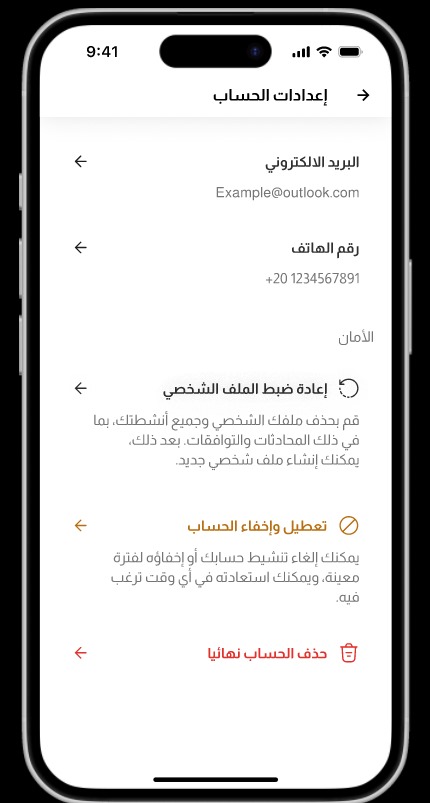
1. Access the menu within the app.
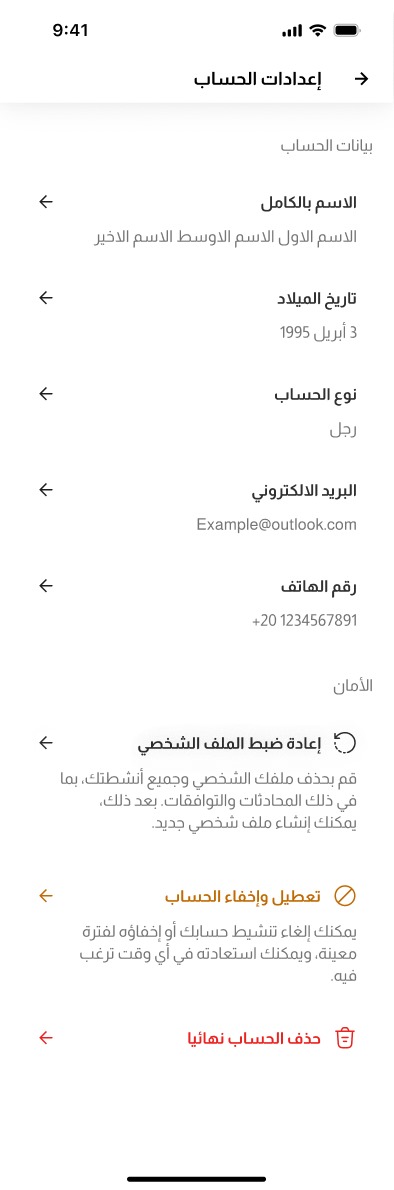
2. Select 'Account Settings'.
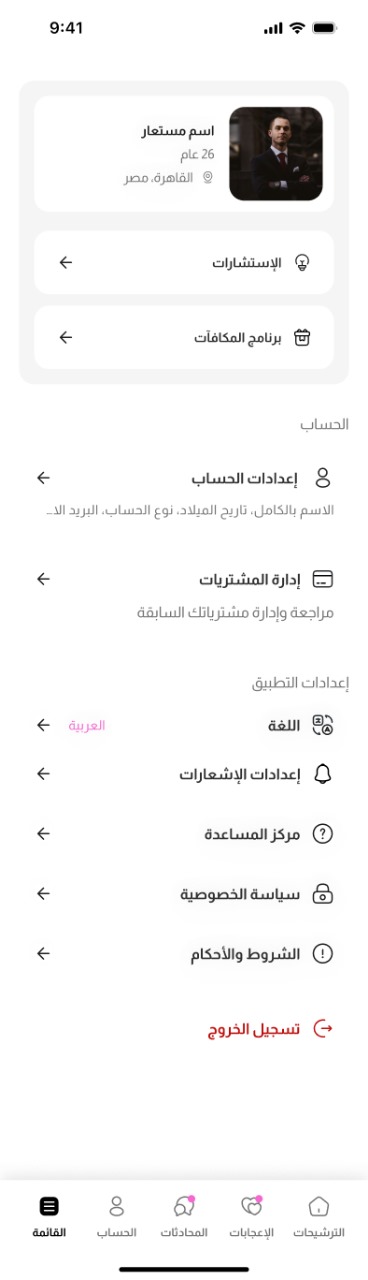
3. Scroll down.
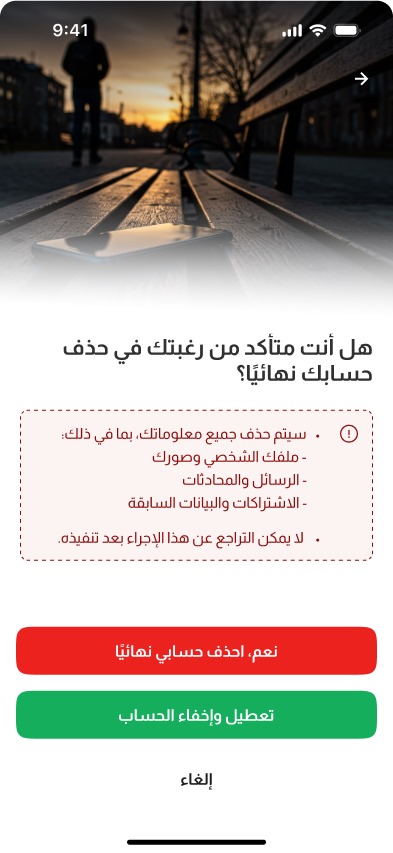
4. Click on 'Delete Account Permanently'.
Confirmation
A confirmation message will appear, indicating that:
- All your information, including your personal data, photos, and correspondence, will be deleted.
- You will not be able to recover your account or data after deletion.
Important Note
We do not retain any data after deletion, except for legally required technical records, which are kept for a maximum of 90 days.
Contact Us
If you encounter any issues during the deletion process, you can contact us via email: support@zefaaf.net
Thank You
Thank you for joining the Zefaaf platform. We hope you have found your life partner in accordance with Islamic principles, and we are always happy to assist you whenever needed.
Zefaaf Platform Plan your marriage with Islamic values